
Cloud software for dry port operations
cloud solution for dry port operations gives inland terminals one place to manage containers, users, service events, documents, billing, and customer visibility. Instead of running gate logs, yard spreadsheets, finance notes, and status calls in separate tools, the team works from one live operational record.
Container Depot Software is built for dry ports, ICD facilities, bonded areas, inland terminals, and intermodal hubs and multimodal links. Dispatchers, gate clerks, operations managers, finance users, and customer service teams can see the same container status, movement history, hold, release, service charge, and invoice trail.
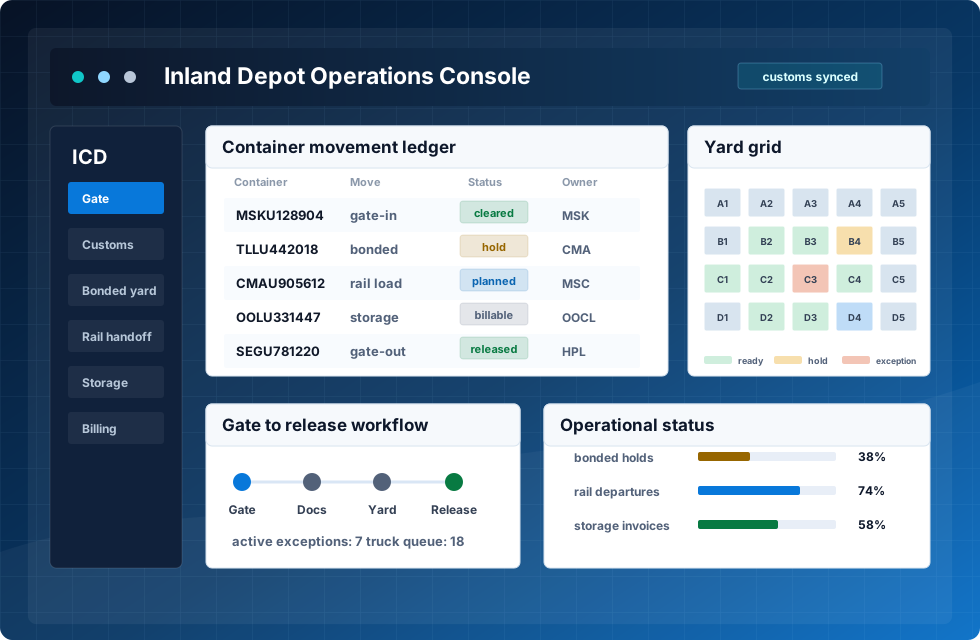


One operating layer for the dry port team
A digital dry port software platform has to do more than store container numbers. It should connect truck appointments, gate-in checks, inspection, yard placement, customs status, repair work, release approval, and invoicing. In practice, it becomes a dry port operating system for the facility, not just another reporting screen.
Each container receives a clear timeline: who received it, where it was placed, which services were performed, what documents are still open, and which charges are ready for accounting. Managers can see capacity, congestion, dwell time, aging cargo, customer workload, and service performance without waiting for end-of-day spreadsheets.
Where the platform saves work
No artificial percentages. The value comes from fewer manual mistakes, fewer unnecessary moves, complete service records, and faster shared decisions.
Before CDMS
Gate mistakes
wrong data, late checks
Extra yard moves
containers handled twice
Missed charges
services not invoiced
Manual checks
slow reconciliation
CDMS
One live operating layer for terminal events, services, status, and billing.
After CDMS
Cleaner data
validated gate events
Fewer re-handles
better slot decisions
Complete invoices
charges from real work
Faster decisions
shared live status
From pre-advice to invoice
The platform follows the same sequence used by dry ports during daily operations. Every step creates an event, updates the container record, and makes the next action visible for the right user.
Pre-advice
Gate-in
Inspection
Inventory
Release
Invoice
Modules that run the terminal
dry port management software should match how real departments work. These modules keep operations, finance, customer service, and compliance on the same record.
Screens that support daily work
These are not decorative images. Each screen shows a practical part of the product: container status, repair records, service activity, and terminal tasks that staff use during the day.
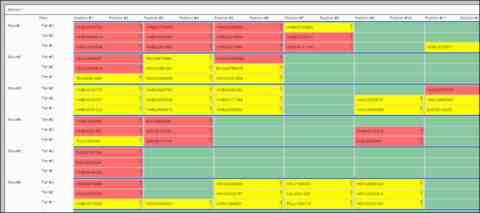
Repair record
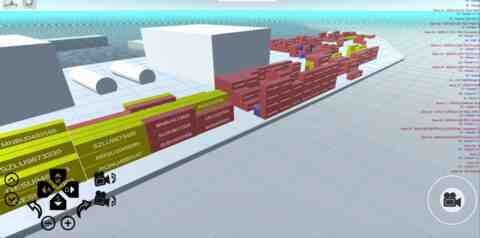
Container information
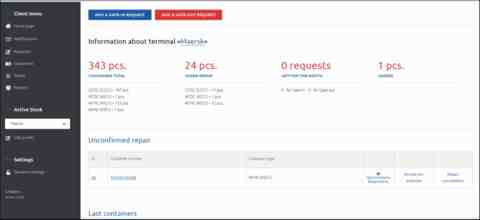
Operations view
Connect dry port work with the wider logistics network
dry port automation software removes repeated manual work where mistakes usually start: duplicate entry, late status updates, missed charges, and unclear task ownership. The platform can support EDI and API exchange for shipping partners, customs portals, rail operators, customer portals, ERP, and accounting tools.
For logistics teams, software for dry port logistics must share information without exposing every internal process. Customers can receive status updates, view service history, request documents, and check invoice progress while staff keep control of permissions and sensitive records.
Management outcomes that can be checked daily
A dry port terminal solution is valuable when it improves daily decisions, not only when it produces reports. Managers need to see which containers are aging, which zones are close to capacity, which customers create service load, and where billing or document delays begin.
| Area | What improves | Why it matters |
|---|---|---|
| Dwell time | Aging containers and blocked releases are visible earlier. | Storage pressure is reduced before it affects capacity. |
| Visibility | Gate, operations, customs, and finance work from the same record. | Teams stop rebuilding status from calls and emails. |
| Billing | Services are charged from actual operational events. | Revenue capture becomes more complete and auditable. |
| Customer service | Forwarders and cargo owners receive clearer status answers. | Support load drops and trust improves. |
See the dry port workflow in the product
Implementation starts with process mapping. The project team reviews gate flow, storage logic, document rules, customer types, tariff models, and reporting needs. Then the platform is configured for roles, statuses, services, dashboards, and integrations.
Data import brings current inventory, customer accounts, tariffs, and opening balances into the dry port cloud system. Staff onboarding stays practical: gate users train on visits, operations users train on placement and movement, finance users train on charges, and managers train on monitoring and reports.