

Inland Container Depot Software for Dry Port Operations
inland container depot software gives dry port and ICD terminal teams one operating record for gate moves, bonded storage, customs status, rail planning, container inventory, service work, billing evidence, and customer updates.
The platform helps inland depots replace disconnected spreadsheets with live container tracking, controlled yard positions, cleaner document handover, and operational visibility from truck arrival to final release.
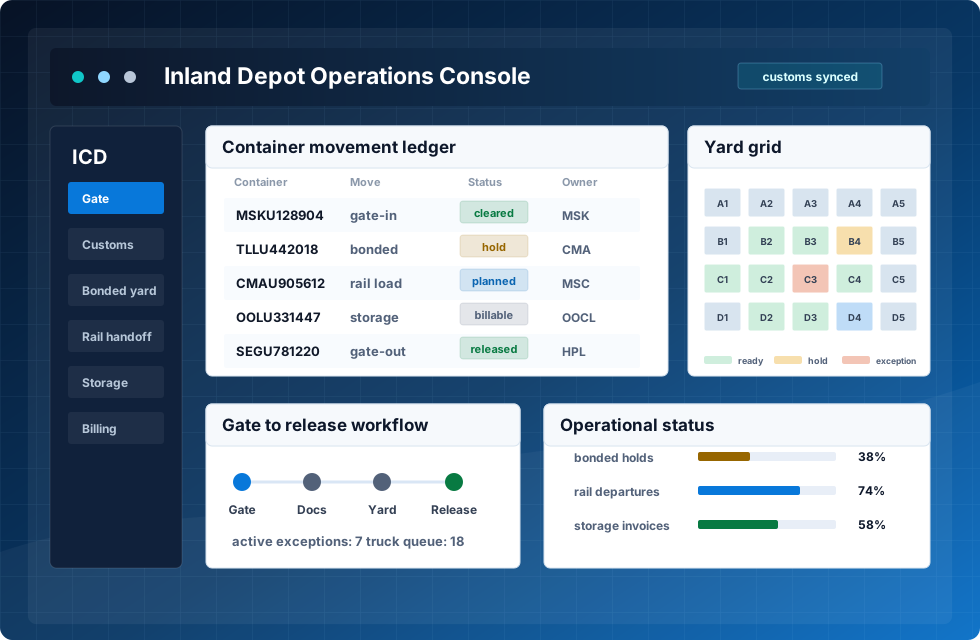
gate, customs, yard inventory, rail handoff, storage, and billing status

What ICD teams control in one system
An ICD terminal system must connect more than a storage map. Inland depots need reliable gate-in and gate-out records, bonded cargo status, customs clearance steps, rail-linked movements, customer instructions, service history, detention or storage triggers, and management reporting.
CDS keeps these events in a shared operating layer. Gate staff, yard planners, documentation users, finance, and managers can see the same timeline instead of rebuilding the record from emails, paper forms, and manual calls.
Gate to release timeline
Bonded, hold, and clearance status
Storage, dwell, and utilization view
A practical workflow for inland container depots
Dry port teams can manage road, rail, customs, yard, service, and billing work around one source of truth.
Pre-advice
Shipping, transport, customs, and customer details arrive before the unit reaches the gate.
Gate
Users confirm driver, seal, weight, damage, documents, and arrival photos.
Yard
The yard screen assigns a zone, slot, bonded area, or service location.
Rail
Rail discharge, loading plans, and truck transfer steps remain visible to planners.
Clear
Customs holds, release status, and document exceptions are updated before dispatch.
Close
Gate-out closes the timeline and sends cleaner events to billing and reports.
Core modules for ICD and dry port work
Built around inland depot differences
An inland terminal has different pressure points from a seaport container yard. The team often balances rail schedules, customs clearance, local truck traffic, bonded storage, customer documentation, and value-added depot services in the same day.
CDS supports these differences with role-based access, EDI/API integration options, customer portal visibility, mobile-ready work screens, and configurable statuses for cargo, equipment, and service events. The result is an ICD software workflow that can grow from basic depot control into a fuller dry port operating system.
Screens that support confident depot decisions
The interface should help staff find the container, confirm the release path, and understand the operational evidence without calling every department.
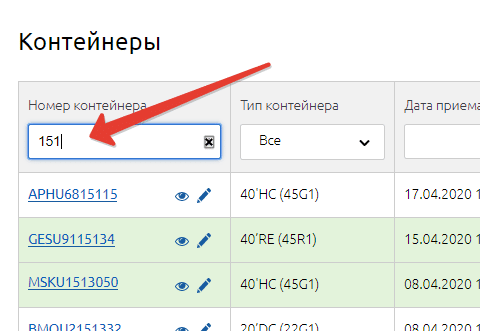
Fast container search
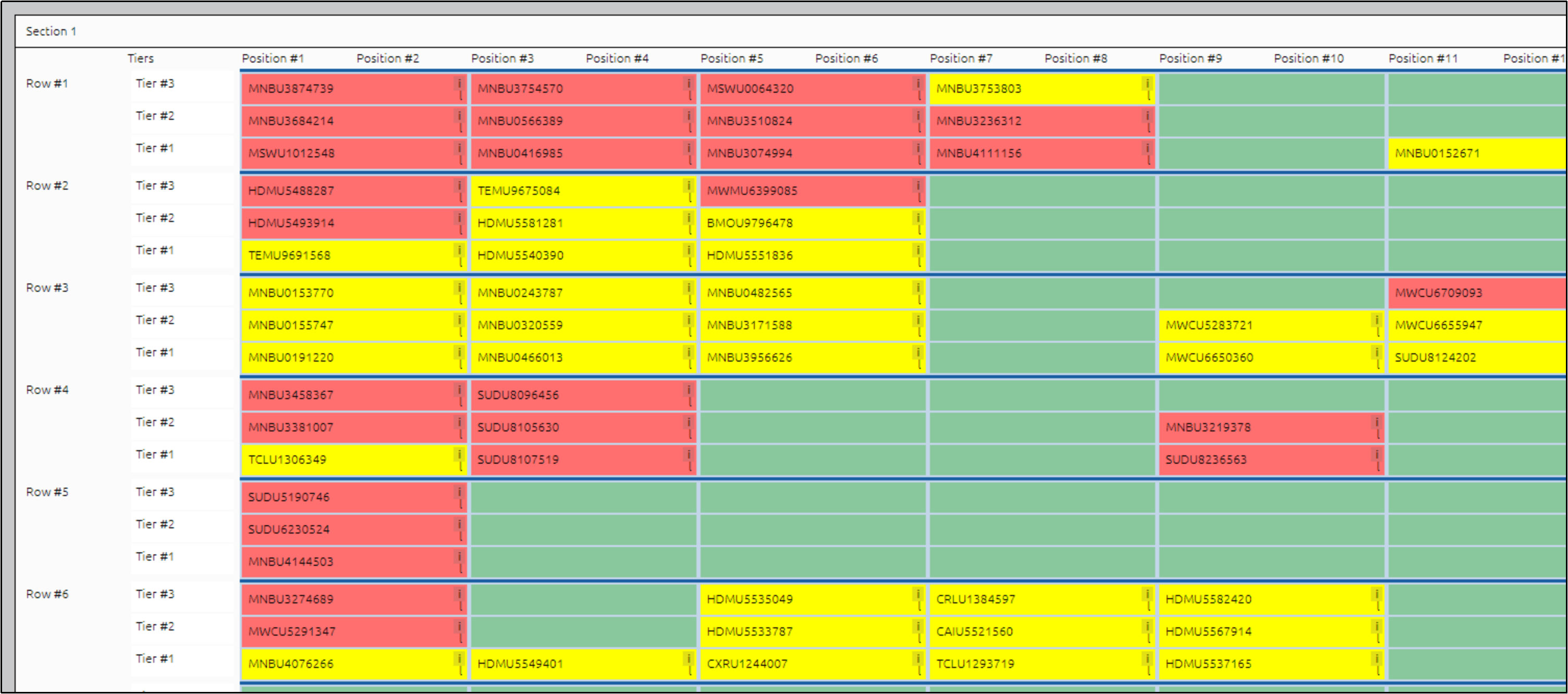
Service record
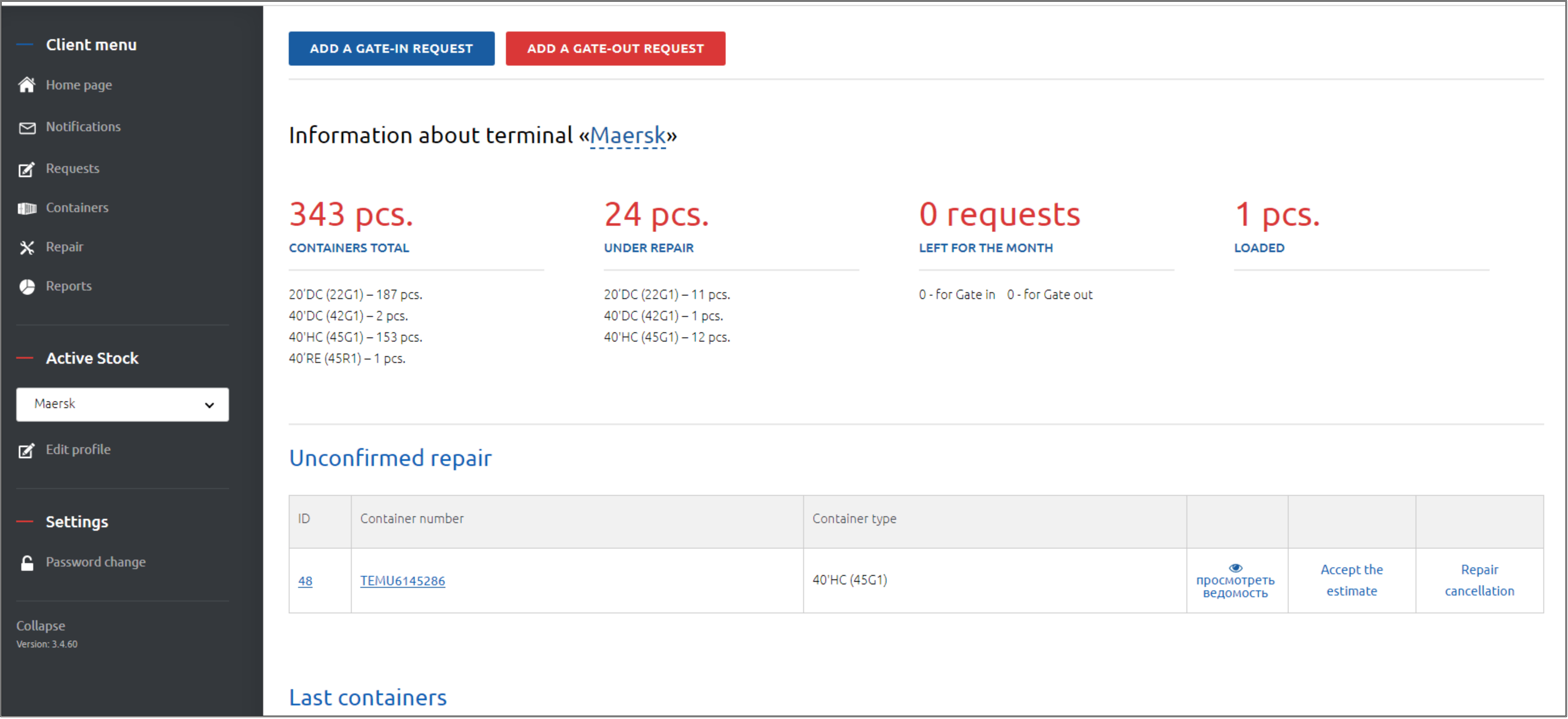
Operations view
Where the value appears
A strong dry port platform does not only store container data. It helps the team see which cargo is blocked, which rail or truck move is due, which services are finished, and which charges are ready for invoice review.
For managers, the value appears in fewer missed releases, faster status answers, better yard utilization, more reliable storage calculations, and clearer accountability for each movement or document event.
| Area | What improves | Why it matters |
|---|---|---|
| Gate and documents | Arrival data, customs status, holds, and release notes stay connected. | Staff spend less time rebuilding the story behind each container. |
| Yard inventory | Locations, categories, dwell time, service status, and blocked units stay current. | Planning becomes cleaner across truck, rail, and storage workflows. |
| Rail and transport | Rail-linked movements, wagon plans, and truck handoff steps are visible. | Intermodal coordination becomes easier to audit and adjust. |
| Billing and reporting | Storage, services, movements, and evidence can feed finance review. | Invoices and customer conversations rely on stronger operational records. |
See the ICD workflow in the product
Implementation starts with the physical depot map, gate scenarios, customs status list, user roles, customer records, service codes, tariff rules, and the opening inventory. A phased launch lets the team validate common flows before adding wider EDI, API, portal, or reporting integrations.
The right result is practical: every department can see the next action, trust the location record, understand the release status, and use the same data for operations, customer service, and billing.