
Container Terminal Operations Management
A terminal operations platform is the working layer that helps a cargo facility control daily moves, records, equipment, users, plus customer updates from one operational screen. It is built for teams that need reliable status, not another spreadsheet.
TOS PlatformTerminal ControlContainer Flow Container Terminal Operations Management A terminal operations platform is the working layer that helps a cargo facility control daily moves, records, equipment, users, plus customer updates from one operational screen. It is built for teams that need reliable status, not another spreadsheet. For a busy port, depot, or intermodal hub, a container terminal platform connects gate visits, yard positions, service events, vessel or rail plans, billing triggers, and reporting as part of integrated terminal operations solutions. The result is clearer daily control across the day. Request a demo View terminal operations Live gate, yard, equipment, cargo, billing, plus reporting control
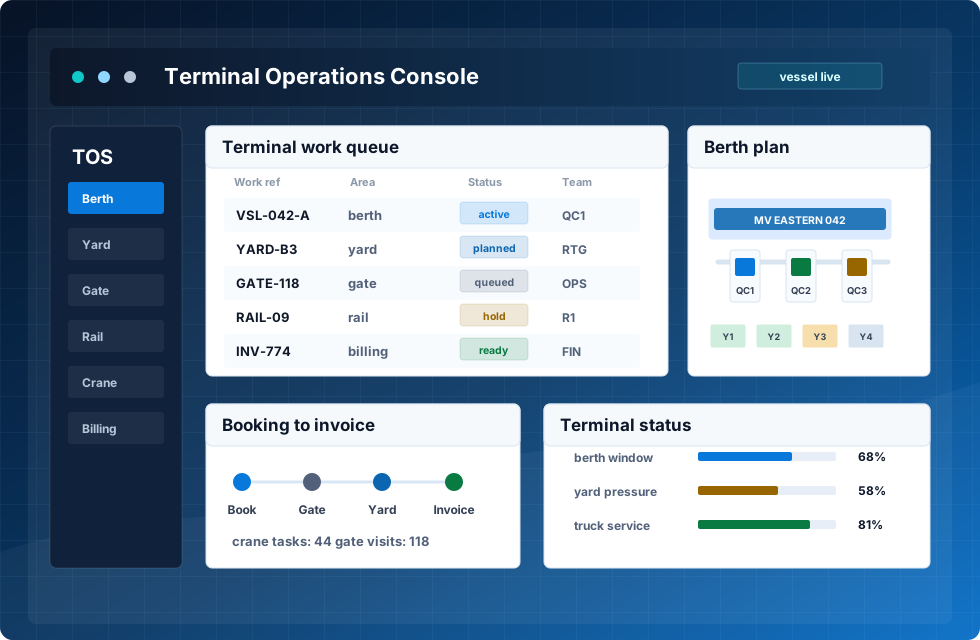
gate, yard, equipment, cargo, billing, plus reporting control

What the system controls
container terminal software supports the practical work of cargo terminals: bookings, gate visits, yard storage, equipment dispatch, vessel or rail loading, service records, invoices, plus customer communication. Each event updates the same record, so people do not rebuild status by phone.
Core ControlOperations LayerConnected Teams What the system controls container terminal software supports the practical work of cargo terminals: bookings, gate visits, yard storage, equipment dispatch, vessel or rail loading, service records, invoices, plus customer communication. Each event updates the same record, so people do not rebuild status by phone. As a container terminal management system, the platform keeps business rules, user roles, location data, service codes, and cargo status connected. Modern marine terminal operations software can also support intermodal flows, warehouse work, inland depot operations with integrated ERP links, and bulk cargo where the business needs more than simple tracking. Gate, booking, plus release workflows Yard, warehouse, plus movement views EDI, API, ERP, portal, plus invoice links As a container terminal management system CTMS, the platform keeps business rules, user roles, location data, s…
Gate, booking, plus release workflows
Yard, warehouse, plus movement views
EDI, API, ERP, portal, plus invoice links
As a container terminal management system CTMS, the platform keeps business rules, user roles, location data, service codes, and cargo status connected.
From booking to final invoice
A terminal operating system TOS is valuable when it follows the real order of work, keeps every team aligned around one source of truth, and supports intermodal handoff without duplicate status checks.
Booking
Orders, carriers, cargo data, plus requirements enter the system.
Gate
Visits, documents, vehicles, seals, plus photos are confirmed.
Yard
Locations, tasks, moves, plus equipment priorities are controlled.
Loading
Vessel, rail, and truck plans use current data.
Monitor
Operations teams see disruptions, exceptions, plus service levels.
Invoice
Services, storage, and events support accurate billing.
Core modules for terminal operations
Features for intermodal terminal decision making
Key features focus on container handling, movement storage, database quality, and decision making. Terminal teams get information directly in desktop and mobile views, reducing errors and giving managers clearer insights during live dispatch.
For intermodal terminal teams, deployment can start with selected modules, then expand into EDI/API integration, customer portal, and reporting. A phased rollout lowers complexity, improves efficiency and performance, and supports intermodal transport, international shipping, logistics, technology, and supply chain visibility.
How the platform improves management decisions
The operations platform helps managers move from late reports to current operational awareness. They can see delayed tasks, overused assets, full locations, and customers that need faster communication.
For a tos container workflow, this visibility matters because each unit can touch many roles before release. Operations, customer service, finance, security, plus maintenance need the same data, but they do not need the same access level.
Across intermodal container terminals, platform quality depends on practical management screens. The product helps teams keep containers visible, connect with other systems, and support management decisions without hiding daily work behind reports.
Screens that support daily work
The interface should make the live record easy to trust. Staff need to find current location, status, service history, and exceptions without searching across third party systems.
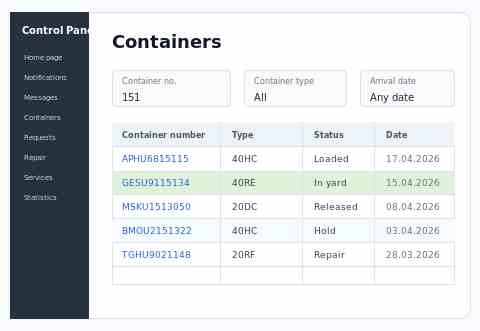
Fast search
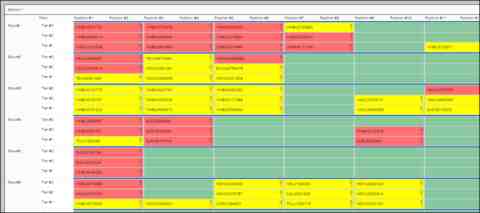
Service record
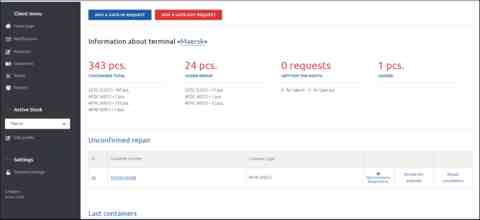
Operations view
Where operational value appears
tos container management is most useful when it connects the physical work with the business record. The same event can update a location, trigger a charge, notify a customer, and feed a report.
| Area | What improves | Why it matters |
|---|---|---|
| Operations | Tasks, moves, plus disruptions are visible in real time. | Supervisors can choose the right action faster. |
| Yard | Locations, capacity, and utilization are easier to control. | Terminals reduce search time and rehandling. |
| Equipment | Work assignments follow current priority and availability. | Assets are used more effectively through the shift. |
| Customers | Portal, emails, and reports can use current data. | Communication improves without extra manual updates. |
See the product workflow
A tos terminal operating system project starts with current processes, master data, user roles, equipment types, tariffs, integrations, plus reporting requirements. Configuration then sets booking rules, statuses, locations, workflow steps, security levels, and interfaces.
The implementation should be introduced in phases: discovery, configuration, data import, user testing, training, go-live, and support. This approach helps intermodal teams adopt new tools while protecting current operations and customer service.