

IMT Terminal Yard Management Software System
container yard management software gives operations teams a live view of where every unit is, why it is there, what action is due next, and which user changed the record. The goal is simple: reduce blind spots in the yard without forcing teams into separate tools.
A cloud platform keeps location, status, service history, photos, holds, and billing triggers in one record, so teams work from cleaner data instead of paper maps or end-of-shift spreadsheets.
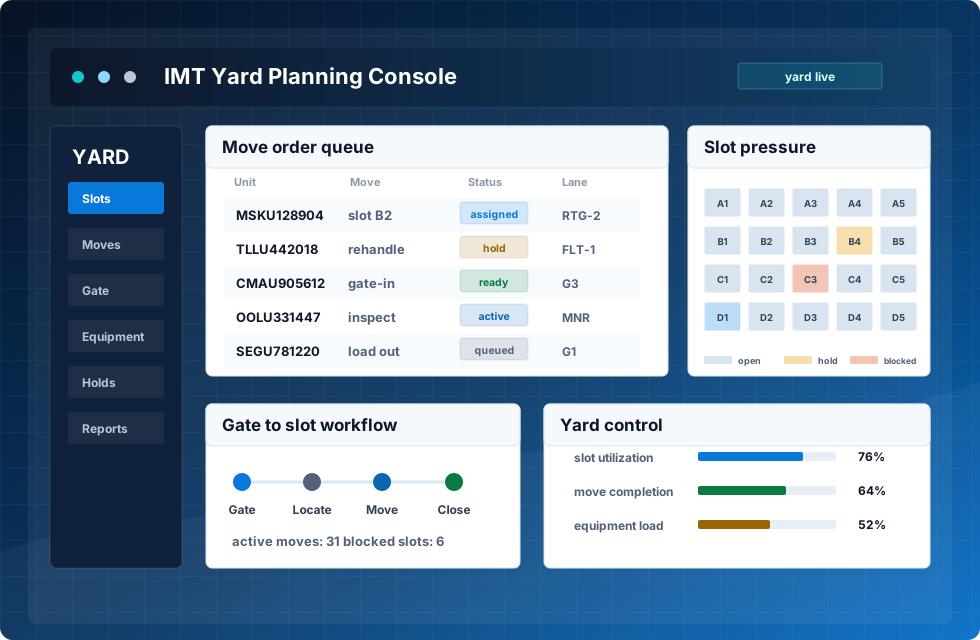
yard status, slots, holds, photos, and service history

What the platform controls
The container yard management system controls the practical work that happens between gate-in and gate-out. It records the initial arrival, assigns a storage position, tracks every move, shows available slots, updates the timeline, and gives managers a clear view of congestion, utilization, equipment workload, and aging stock.
This is not only a visual map. The system connects rules, users, and events, so planners can separate empty units, reserve export space, protect special areas, and see which zone needs attention.
Gate to yard timeline
Zones, blocks, slots, and holds
Congestion and utilization view
Daily workflow operators can trust
This flow supports intermodal yard management where road, rail, storage, and customer service work around the same source of truth.
Pre-advice
Customer, transport, and document data arrive before the truck.
Gate
Users confirm driver, seal, weight, condition, and photos.
Slot
The yard screen recommends or confirms the storage position.
Move
Equipment users receive tasks with location details.
Monitor
Supervisors see exceptions, blocked units, and service needs.
Close
Gate-out closes the timeline and sends clean data to billing.
Core modules for practical yard work
Designed around real terminal differences
imt cargo handling software is useful when it reflects how the site actually works. Some terminals need fast truck turnaround. Others need rail coordination, bonded storage, depot services, or high-volume empty stock control. The platform should support these differences without turning every small process change into a development project.
For managers, an imt logistics software solution should make the day easier to read. The screen should show which work is waiting, which equipment is busy, which cargo is blocked, and which customer records need attention. Mobile access keeps field users in the same workflow.
Screens that make the record easier to trust
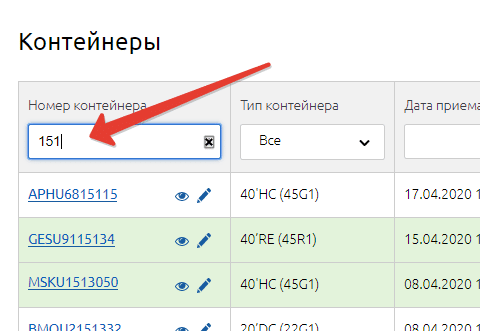
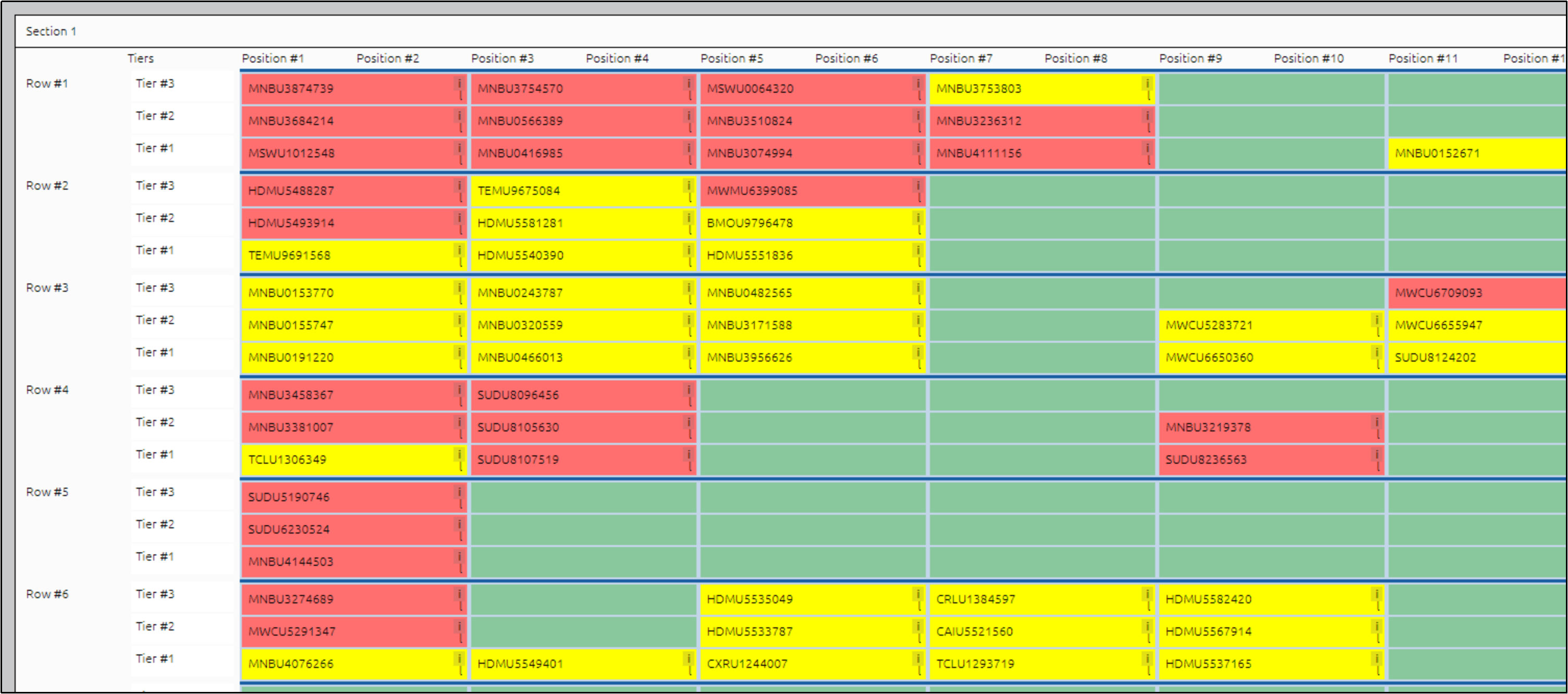
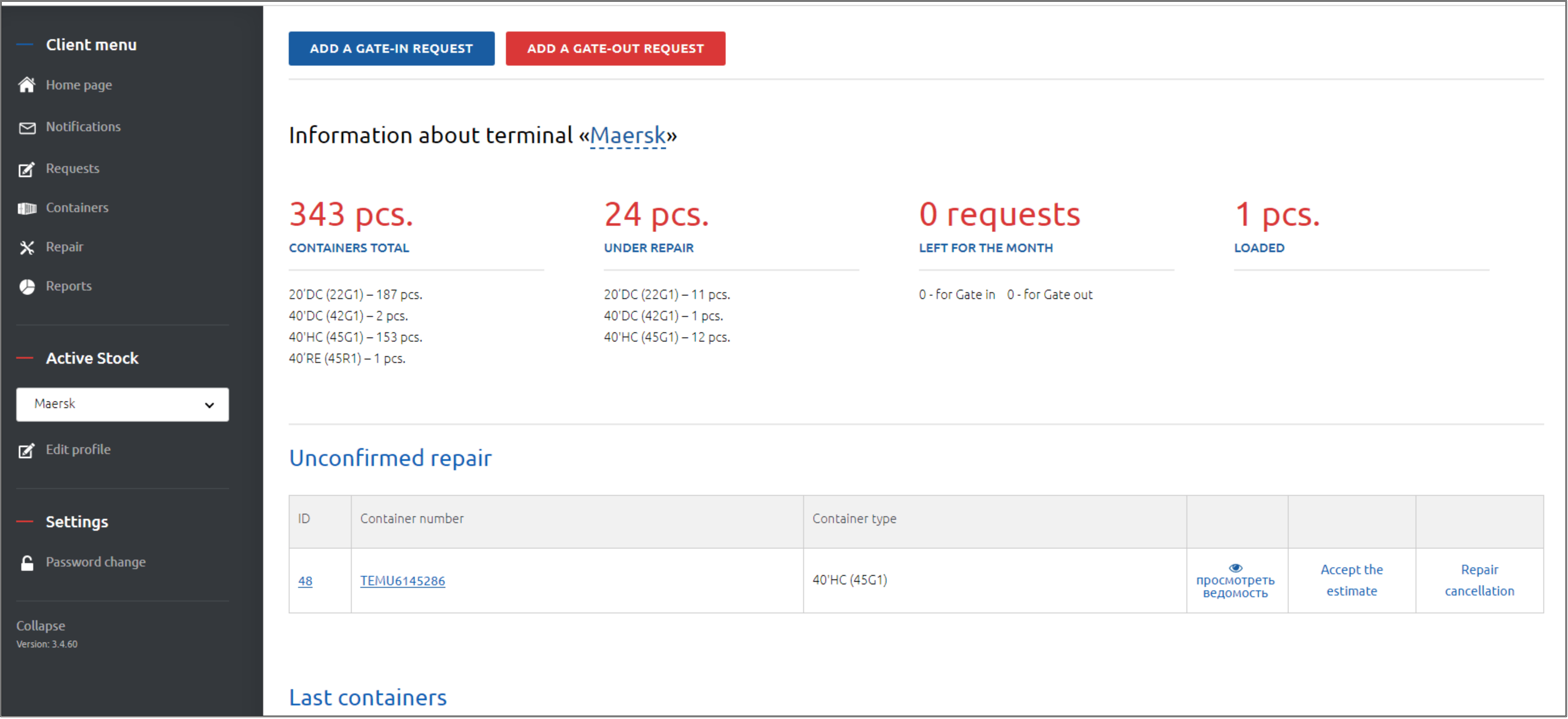
The interface should help staff see the container, the task, and the evidence attached to the record without rebuilding status from calls and emails.
Fast search
Service record
Operations view
Where the value appears
An imt yard operating system should behave like the working layer for the whole site. It does not replace people; it gives each role a cleaner path through the day. Gate staff see arrival tasks. Yard planners see slots and pressure points. Equipment users see assigned moves. Managers see exceptions before they become customer problems.
The value comes from practical improvements, not vague automation claims. A strong yard platform reduces missed moves, wrong positions, repeated manual checks, and delays caused by unclear ownership.
| Area | What improves | Why it matters |
|---|---|---|
| Yard map | Blocks, rows, bays, slots, and status colors become visible. | Teams find units faster and reduce location disputes. |
| Inventory | Full, empty, damaged, hold, import, and export records stay current. | Daily planning becomes cleaner across departments. |
| Equipment tasks | Move orders, priorities, and user assignment are visible. | Idle time drops and handover becomes easier to audit. |
| Service records | Inspection, repair, photos, and notes stay attached to the unit. | Customer evidence and finance records become stronger. |
See the yard workflow in the product
A cloud-based imt terminal system can be deployed without a heavy local server project. Configuration starts with yard layout, user roles, status rules, service codes, and reporting needs. Data import then brings opening inventory, customer lists, tariff references, and current stock into the platform.
Implementation should be phased: map the physical yard, configure statuses and service rules, import opening records, test common scenarios, train staff by role, and launch with close support. The right result is a team that can see the next move and trust the location record.